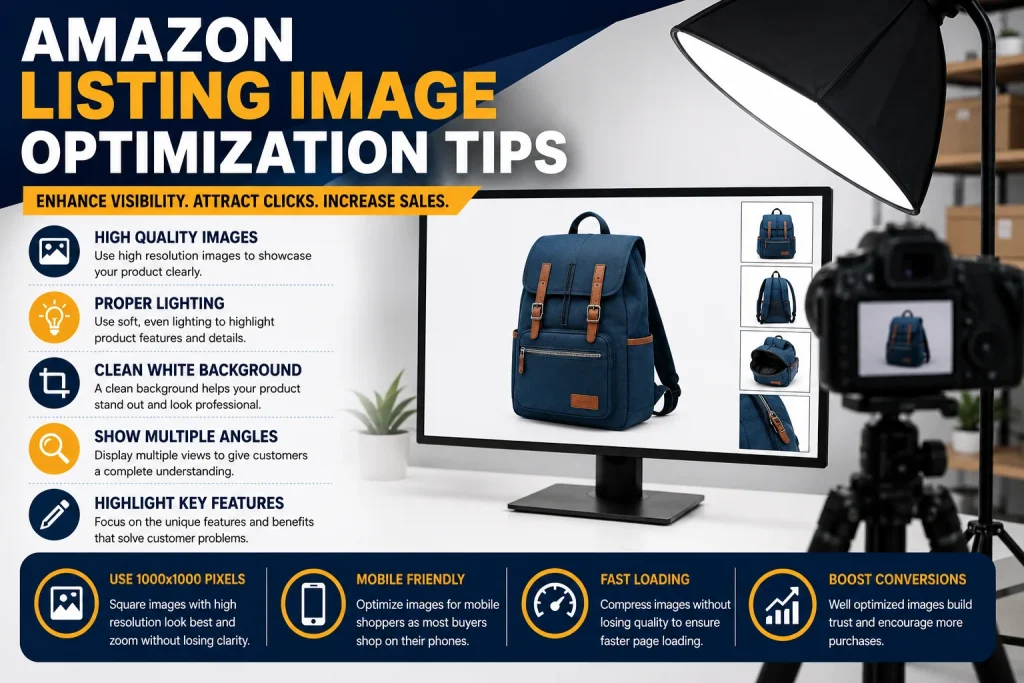
Amazon Listing Image Optimization Tips
Product images are really important when it comes to an Amazon listing. Usually people look at the images first before they even read the title or the description. A good image can quickly show what the product is, what it looks like and why someone might want to buy it. Making your images look good is not about taking nice pictures. It is about creating a way for people to see and understand your product so they can trust you. Want to buy from you. If you want to make your listings better you need to think about how you can use images to help people understand your product and want to buy it. Start With a Good Main Image The main image is usually the thing people see when they are looking at search results. It should be clear what the product is away. Use a clear picture that shows the product directly. The background should be simple. Follow the rules of the marketplace. Do not put many other things in the picture that might distract from the product. The product should be big enough and clear enough that people can recognize it when the picture is small. Do not leave much empty space and make sure the lighting is good and the picture is not blurry. A good main image should make it easy for people to understand what the product is. They should not have to guess. Make Every Image Count Some people make the mistake of uploading a lot of pictures that’re basically the same. Instead each picture should show something useful. Think about using pictures to show the features of the product how it works how big it is, what it is made of and what comes with it. This can help people understand the product and feel more confident about buying it. Design for People Using Their Phones A lot of people look at products on their phones so the images need to look good on screens. If the text is too small or the pictures are too complicated they might be hard to understand on a phone. Make sure the important information is big and easy to see. Before you publish your images check how they look on a computer and a phone. If something important gets lost when the picture is small you need to make it better. Using images that look good on phones is important. Should not be ignored. Use Pictures to Explain Things pictures can make complicated information easier to understand. Of just writing about a feature show it in a picture. For example you can show how big something is, what it is made of or how it works. Keep the text short. Focus on the important information. Do not fill the picture with long paragraphs. The goal is to help people understand the important thing about the product quickly. Add Pictures of the Product in Use Pictures that show the product in a real-life setting can help people imagine using it. For example if you are selling a kitchen product you can show it in a kitchen. If you are selling a fitness product you can show someone using it while they exercise. The product should still be easy to see. The background can provide useful context. This can make the product feel more real and help people understand how they can use it. Show How Big the Product Is One of the questions people have is how big or small a product is. A single picture might not be enough to show this. Consider using a picture to show the size or scale of the product. If it is important show the measurements clearly. Make sure they are accurate. This can help people understand the product and have expectations. This is especially important for products where size matters. Highlight Important Details If your product has details that are hard to see use close-up pictures to show them. Think about what questions people might have before they buy and create pictures that answer those questions. This makes your pictures more useful. Can reduce confusion. Make Your Pictures Look Professional All the pictures in your gallery should look like they are from the same professional brand. Use photography, consistent text and a clear visual style. Do not mix pictures with bad ones. Make sure the colors are accurate because people expect the product to look like the pictures. Consistent pictures make your brand look more professional and can help people trust you. Choose Image Files The quality of your pictures matters because people want to be able to see the product clearly before they buy it. Use high-quality pictures that show the details clearly. The pictures should be big enough that people can zoom in and see what they need to. However high quality does not mean complicated. The goal is to make the pictures clear and easy to understand. Keep the Main Image Simple The main image should be straightforward and easy to understand. Do not add much text, graphics or other things that might distract from the product. A simple main image can be more effective because people can see the product clearly without any distractions. Always check the rules for the marketplace and category before you publish your main image. Make Your Images Work With Your Listing Your images should not be separate from the rest of your listing. Your images, title, description and other content should all work together to show the benefits of the product. If your text says one thing. Your pictures say another people might get confused. A good visual strategy can also work with things you do to sell your products like managing your inventory and advertising. The best results come from treating your listing like a customer experience, rather than just optimizing individual parts. Test and Improve Your Images Making your images better is not a one-time task. Peoples preferences and the marketplace can change over time. Look