
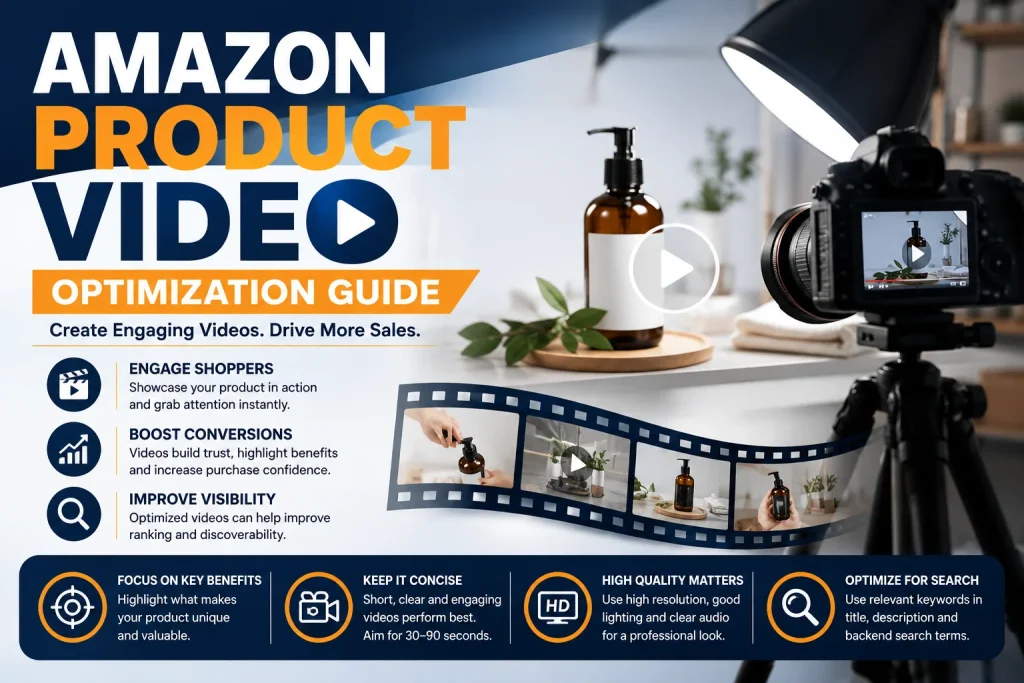
Amazon Product Video Optimization Guide
Product videos have become an important part of creating a strong Amazon listing. High quality images can explain what a product looks like, but video can demonstrate how it works, how it is used, and why customers should consider buying it. A well planned video can make a product easier to understand while creating a more engaging shopping experience. For sellers who want to improve their product listings, video optimization should be treated as part of the overall content strategy rather than an additional task. The right video can answer customer questions quickly, demonstrate important benefits, and help shoppers feel more confident about their purchase. Why Amazon Product Videos Matter Online shoppers cannot physically touch or test a product before buying it. This can create uncertainty, especially when the product has complicated features or requires a particular method of use. A product video can reduce that uncertainty by showing the product in action. Customers can see its size, appearance, functionality, setup process, and practical benefits in a way that static images cannot always communicate. Product videos can also make a listing more engaging. Instead of asking customers to understand every feature through written descriptions, sellers can demonstrate important information visually. Amazon has reported that product detail pages with shoppable videos have seen higher sales on average than pages without them. Start With a Clear Video Purpose Before creating a product video, decide what you want the video to accomplish. A good product video should have one primary purpose. It could demonstrate how the product works, explain an important feature, show an unboxing experience, provide setup instructions, or present the product in a realistic lifestyle environment. Trying to explain everything in one video can make the content confusing. Instead, identify the biggest question customers have about the product and build the video around answering it. For example, if the product has a complicated setup process, focus on showing the setup clearly. If durability is an important selling point, demonstrate the product being used in an appropriate real life situation. Create a Strong Opening The first few seconds of a product video are extremely important. Customers can quickly move to another part of the listing if the content does not immediately appear useful. Start by showing the product and its most important benefit. Avoid long introductions that delay the main message. A strong opening can demonstrate the product being used, reveal an important feature, or immediately show the problem that the product solves. The goal is simple. Give customers a reason to continue watching. Keep the Product at the Center Your product should remain the main focus throughout the video. Background elements, excessive animation, and unnecessary effects can distract customers from the information that matters. Use clear lighting and an uncluttered environment. Show the product from useful angles and demonstrate its important functions naturally. Amazon recommends keeping product videos simple and focused, with many effective shoppable videos falling within a relatively short viewing duration. Demonstrate Benefits Instead of Only Features A common mistake is creating a video that simply lists product features. Customers usually want to understand how those features benefit them. Instead of only showing that a product has a particular feature, demonstrate what that feature allows the customer to do. Show the product solving a real problem or making a particular task easier. This approach makes the video more useful and helps customers visualize themselves using the product. Use Clear Visual Storytelling A strong product video should have a simple visual flow. Begin with the product and its main benefit. Then demonstrate how it works. Follow this with important features or practical uses. Finish by reinforcing the overall value of the product. The video should feel natural rather than overloaded with information. Simple transitions, clear product demonstrations, and realistic usage scenes can make the content easier to follow. Optimize Text for Silent Viewing Not every shopper will watch a product video with sound. Important information should therefore be understandable through visuals and short text overlays. Keep on screen text concise and easy to read. Use it to highlight important features, measurements, benefits, or instructions rather than filling the screen with paragraphs. Text should support the visual demonstration rather than replacing it. Choose an Effective Thumbnail The thumbnail can influence whether a shopper decides to watch the video. Choose an image that clearly shows the product and communicates its main benefit. Avoid confusing frames, excessive text, or images where the product is difficult to recognize. A strong thumbnail should look professional while remaining consistent with the rest of the product listing. Maintain Consistent Listing Content Your product video should match the information presented throughout your listing. Product names, features, benefits, appearance, and claims should remain consistent across images, bullet points, descriptions, and video content. Consistency builds customer confidence. If the product looks different in the video or a feature is presented differently from the written listing, customers may become uncertain about what they are purchasing. A complete listing strategy should bring together written content, images, video, and other visual elements to create one clear customer experience. Follow Video Requirements Carefully Before uploading a product video, review the current requirements for the relevant Amazon video placement. Amazon supports product videos through its seller tools and provides specifications and content requirements for different video placements. For shoppable product videos, sellers can upload formats such as MP4 or MOV and provide information including the video title, associated product, video type, language, and thumbnail. Sponsored video placements can have different technical and creative requirements, so sellers should always check the requirements for the specific placement they are using. Following these requirements can reduce the risk of rejection and prevent avoidable upload problems. Use Amazon Reports Management for Better Decisions Creating a product video is only the beginning. Sellers should also evaluate how their overall listing performs after making content improvements. Amazon Reports Management can help sellers organize and review important business information to understand what is happening with their products. When video is combined

