
Most discussions about Amazon account management focus entirely on sellers — listings, PPC, account health metrics, and growth strategies. But there is another side of Amazon that affects nearly everyone who shops online, and it deserves just as much attention your buyer account.
Whether you are an individual managing your own personal shopping account, a business owner handling procurement through Amazon Business, or someone responsible for managing multiple family or team accounts, knowing how to manage amazon buyer account properly protects your money, your data, and your shopping experience. At Bizistech, we work primarily with sellers, but we get questions from buyers and business owners often enough that we wanted to put together a clear, practical guide.
Amazon Buyer Account Settings You Should Know
Your amazon buyer account settings control far more than most people realize. Taking time to review and configure them properly makes your account safer and your shopping experience smoother.
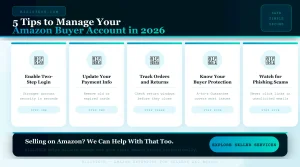
Start with your login and security settings. Amazon allows two-step verification, which adds a second layer of protection beyond your password. This single setting is one of the most effective things you can do to prevent unauthorized access to your account and yet a surprising number of users never turn it on.
Review your saved payment methods regularly. Remove old or unused cards, especially ones tied to closed bank accounts or expired cards that could cause order issues. Keep your default payment method current and double-check that your billing address matches your card details exactly to avoid failed transactions.
Check your communication preferences. Amazon allows you to control which marketing emails, order updates, and recommendation notifications you receive. Tightening these settings reduces inbox clutter and helps you spot legitimate Amazon emails more easily which is also a security benefit, since it becomes easier to recognize a phishing attempt that does not match your usual notification pattern.
Managing Amazon Orders and Returns Effectively
Managing amazon orders and returns well saves you time, money, and frustration especially if you shop frequently or manage purchasing for a household or small business.
Use the Your Orders page as your central hub. From here you can track shipments, view order history, initiate returns, and reorder items quickly. Set up order filters by date range or status when you need to find something specific rather than scrolling through months of purchase history.
For returns, always check the return window before it closes. Amazon usually allows returns within 30 days of delivery for most items, though this varies by category and seller. Print or save your return label promptly once you start the return process, and track the return shipment until Amazon confirms receipt and processes your refund.
If you are managing returns for a business account, keep a simple log of return reasons and dates. This habit makes it much easier to identify patterns repeated quality issues with a specific product or seller, for example that you can use to make better future purchasing decisions.
Amazon Buyer Protection: What You Are Actually Covered For
Understanding amazon buyer protection gives you confidence when shopping, especially from third-party sellers.
Amazon’s A-to-z Guarantee protects buyers when a third-party seller fails to deliver a product as described, ships a damaged or significantly different item, or does not deliver within the promised timeframe. If a seller does not resolve your issue directly within 48 hours, you can file an A-to-z Guarantee claim and Amazon will step in to investigate and issue a refund where appropriate.
It is worth noting that buyer protection generally applies to items purchased and shipped through Amazon’s platform, including those fulfilled by third-party sellers. Always keep your order confirmation, any messages exchanged with the seller, and photos of damaged or incorrect items as documentation in case you need to file a claim.
Be cautious of sellers who ask you to communicate or pay outside of Amazon’s official messaging and payment systems this voids your buyer protection entirely and is a common tactic used in scam attempts.
Amazon Account Security Tips Every Buyer Should Follow
Beyond the basic settings, there are practical amazon account security tips that meaningfully reduce your risk of fraud or account compromise.
Never click on links in unsolicited emails claiming to be from Amazon, even if they look legitimate. Always navigate to Amazon directly through your browser or app and check your account notifications there instead. Amazon will never ask for your password, full payment card number, or social security number through email.
Review your account’s recent login activity periodically. Amazon shows you devices and locations that have recently accessed your account under your security settings. If you see activity you do not recognize, change your password immediately and review your saved payment methods for any unauthorized additions.
If you manage Amazon Business accounts for a company, set up appropriate user permissions rather than sharing a single login across multiple employees. Amazon Business allows you to add users with specific roles and spending limits, which gives you far better control and accountability than shared credentials ever could.
Amazon Account Management for Buyers Who Shop for Others
If you are responsible for amazon account management for buyers beyond just yourself — managing a household account, a small office, or purchasing for elderly family members — a few additional practices help significantly.
Use Amazon Household if you are sharing benefits like Prime across family members. This allows shared access to certain benefits without sharing full account credentials or payment information unnecessarily.
Set up Amazon’s purchase approval features if available for your account type, particularly useful when managing accounts for family members who may be vulnerable to impulse purchases or, in business contexts, when you need spending oversight across a team.
Keep a simple record of recurring subscriptions and Subscribe and Save items tied to the account. These can quietly accumulate over time and reviewing them periodically prevents unnecessary recurring charges for products that are no longer needed.
Bizistech: Amazon Expertise from Every Angle
While Bizistech specializes primarily in helping sellers grow and manage their Amazon businesses, our deep familiarity with how the platform works end to end means we understand the buyer experience just as thoroughly. This perspective makes us better partners for sellers — because understanding what buyers actually want and need from their shopping experience directly informs the listing optimization, customer service, and account management strategies we build for our seller clients.
If you are a seller looking to better understand your customers, or you simply found this guide useful as a buyer, we encourage you to explore more of our Amazon resources.
Looking to grow your own Amazon seller account instead? Get in touch with Bizistech today and let us show you what professional Amazon management looks like from the seller side
